The streaming box used to be essential. In 2026, almost every new television has Netflix, YouTube and the major subscription apps built in. That means a separate player now has to justify another box, another remote and another HDMI port.
For many people, it cannot. If your television's apps open quickly, stay updated and support the picture and sound formats you use, keep using them.
A dedicated box still makes sense when the television software is slow, cluttered or no longer receiving the apps you need.
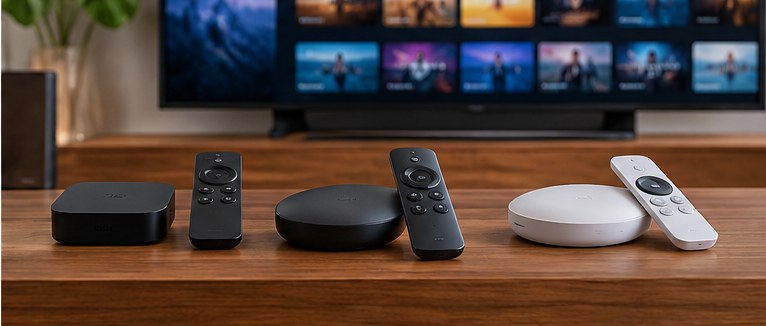
Apple TV 4K is the cleanest choice for an Apple household
The current Apple TV 4K uses Apple's A15 Bionic chip. Apple sells a 64GB Wi-Fi model and a 128GB model with Gigabit Ethernet and Thread networking support. [1]
The main appeal is not storage. It is a fast, consistent interface with deep integration into Apple services, AirPods, iPhone control and HomeKit.
If your household already uses Apple devices heavily, that integration can be worth paying for. If you mostly launch Netflix and leave, it is harder to justify.
Roku Ultra is the practical universal box
Roku Ultra supports 4K, HDR10+, Dolby Vision and Dolby Atmos, and includes both Wi-Fi 6 and Ethernet. Roku also includes a rechargeable Voice Remote Pro with backlit buttons and a lost-remote finder. [2]
That combination makes it useful for someone who wants a dedicated streamer without buying into a broader device ecosystem. The Roku interface is centered on getting to streaming services quickly.
The Ethernet port also matters in rooms where Wi-Fi is unreliable. A wired connection is not glamorous, but it can fix a real problem.
Your television may already be good enough
Modern LG, Samsung, Sony, Roku and Google TV sets can run the major streaming services directly. If the interface is responsive and the apps stay current, adding an external player may not improve picture quality.
The streaming service, television and content all have to support the format you want. A box that can output Dolby Vision does not add Dolby Vision to a television that cannot display it.
Before buying anything, time how long it takes to turn on the TV, open your usual app and start a program. If that experience is already quick and reliable, you may be solving a problem you do not have.
A box is useful when the TV ages faster than the panel
Televisions often remain physically excellent long after their built-in software feels dated. That is where a $100–$200 streaming device can extend the useful life of an expensive screen.
A separate box can also standardize multiple televisions around the same interface. That is useful in a household where each TV came from a different manufacturer.
Because the streamer is replaceable, you can update the smart part of the television without replacing the display.
There is a timing issue with Apple TV in late 2026
The current Apple TV 4K hardware has been on the market for several years, and reporting in late September 2026 pointed to another generation under development. If you do not need a box immediately, that is a reason to check the current Apple lineup before paying full price. [3]
Roku Ultra is easier to evaluate as a current product: buy it when the price and remote features make sense for you.
The broader rule is simple. Do not replace a functioning smart-TV platform because a streaming box exists. Add one when it fixes something specific: speed, software support, remote control, Ethernet or ecosystem integration.
Sources
[1] Apple, Apple TV 4K technical specifications.
[2] Roku, Roku Ultra specifications.
[3] The Verge, report on an unreleased Apple TV 4K refresh, Sept. 25, 2026. Unannounced products can change or be delayed.